
Overview
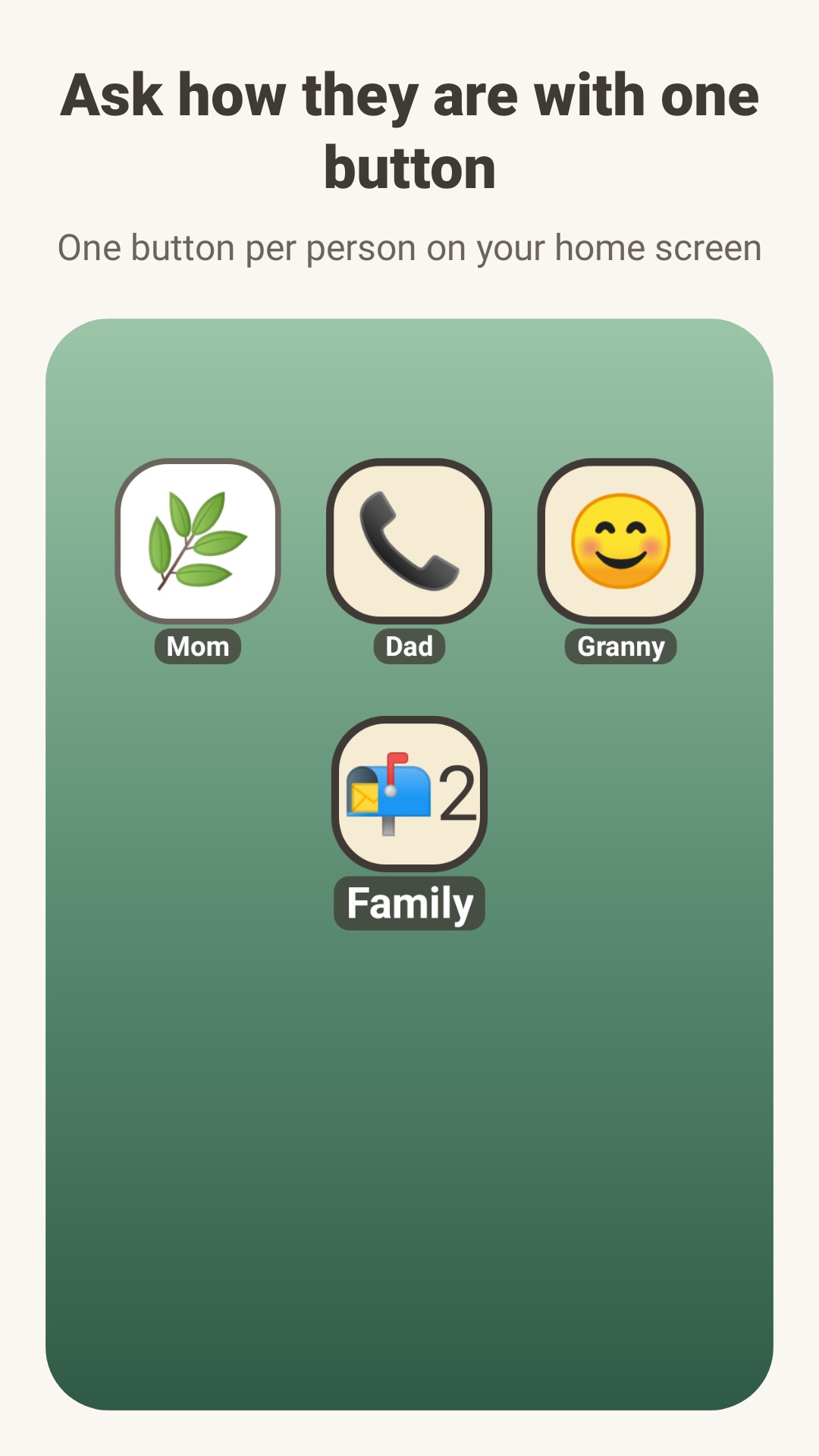
Some days there is no time to call Mom. A long message feels like too much, and saying nothing doesn't feel right either. Hi Mom puts one button on your home screen: tap it to ask how someone is, and they answer with one tap.
For families who want to keep in touch with a tap. Both people need the app, and it works between Android phones for now.
Screenshots
Actual English app screens. Invoice30 screens include sample data.
How it works
Add the person you want to check on (for example, Mom).
Send the invite link by text or messenger. Mom taps it once and you are connected. She types nothing.
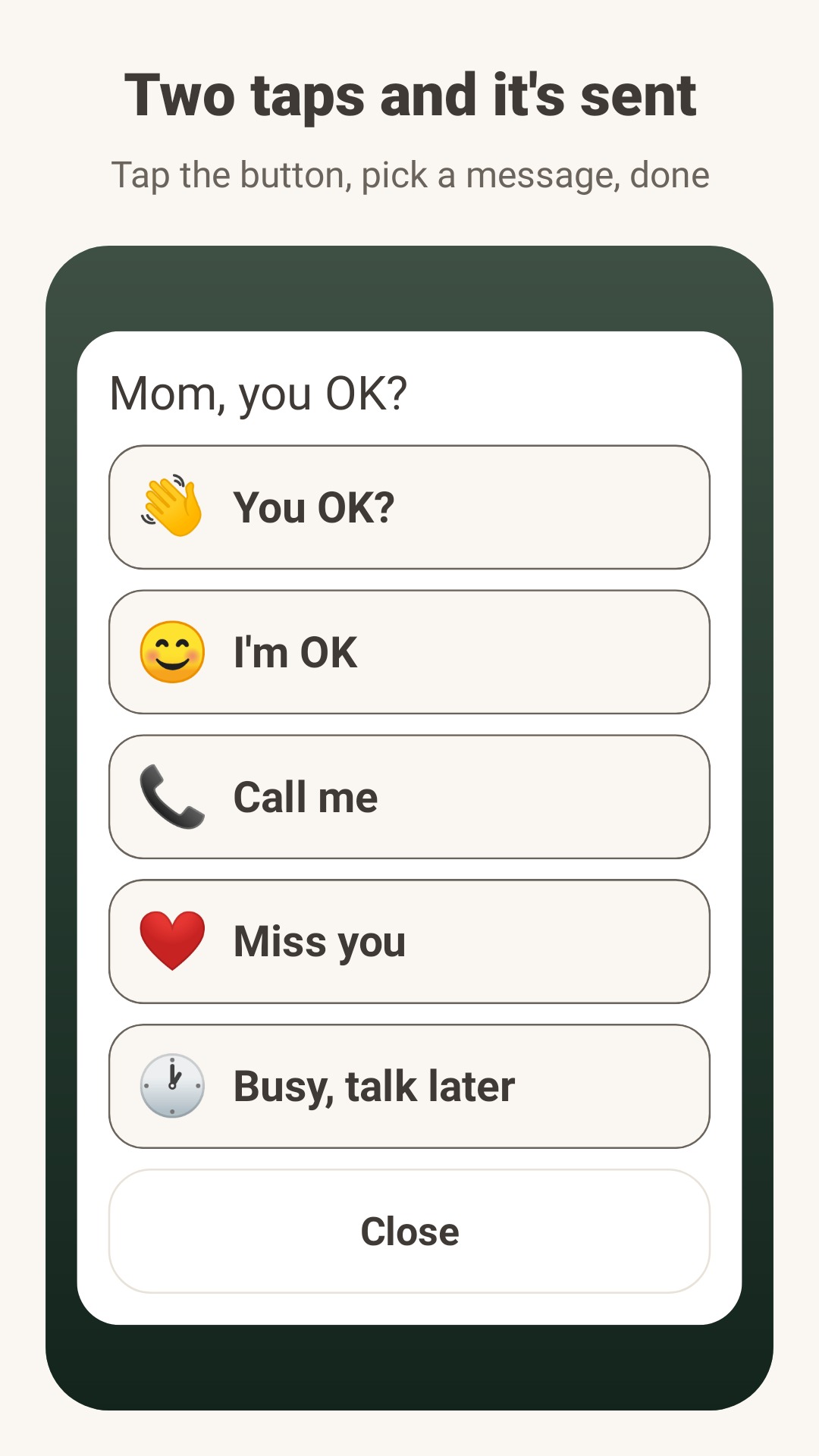
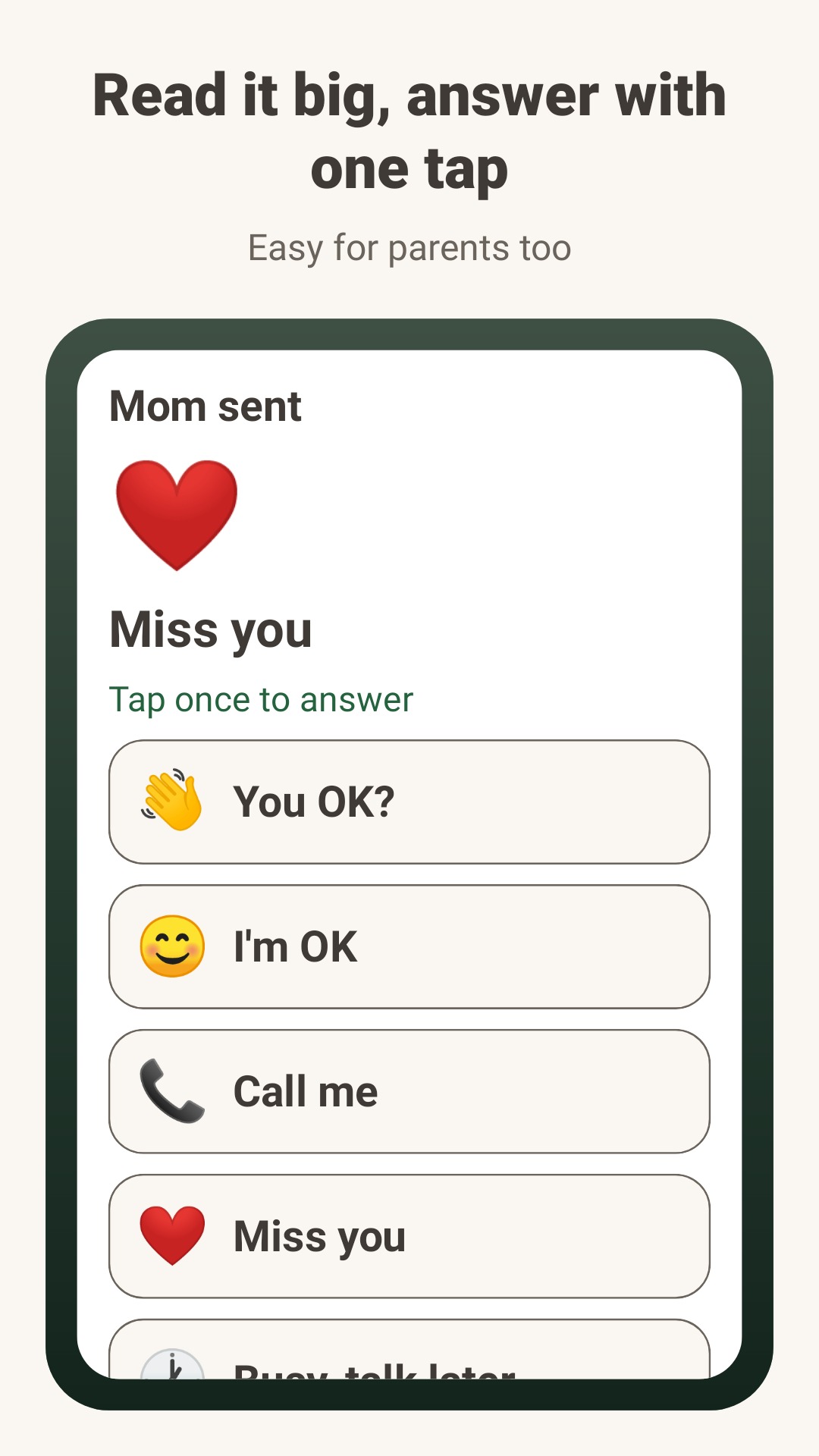
Tap the button on your home screen and pick a message. When a message arrives, the button changes colour and words.
Key features
- Fixed, friendly messages
- You OK?, I'm OK, Call me, Miss you, and Busy, talk later. Nothing is hard to read or awkward to answer.
- Easy for parents
- Big text and big buttons that still fit when the phone's font is set large. The person you invite types nothing.
- Private by design
- No sign-up or login. No names, phone numbers, contacts or location are collected; the names you give people stay on your phone. Messages are deleted from the server after 30 days.
- Pro and message packs
- One-time purchases, no subscription. Pro adds 5 more messages, sending to everyone in a family folder at once, and no ads. Receiving, reading and answering are always free.
Links
A public Google Play release has not been confirmed. This page will link to the listing once the app is available.